In production today
It has been running for over a year in a company with several sites. The office, the warehouse and the engineers open it every day.
In a small company one sale passes through five different places: the quote in a spreadsheet, the order inside an email, the delivery note on a duplicate pad, the invoice in another program, and the bookkeeping at the accountant's three months later. The same amount gets written out five times. By the fifth it is different, and nobody notices until a customer queries it or an inspector calls.
Every line is something you already do, done in less time. If it does not describe a real move in your trade, it is not on this list.
This is a page from the system as it runs. The figures belong to a demonstration company.
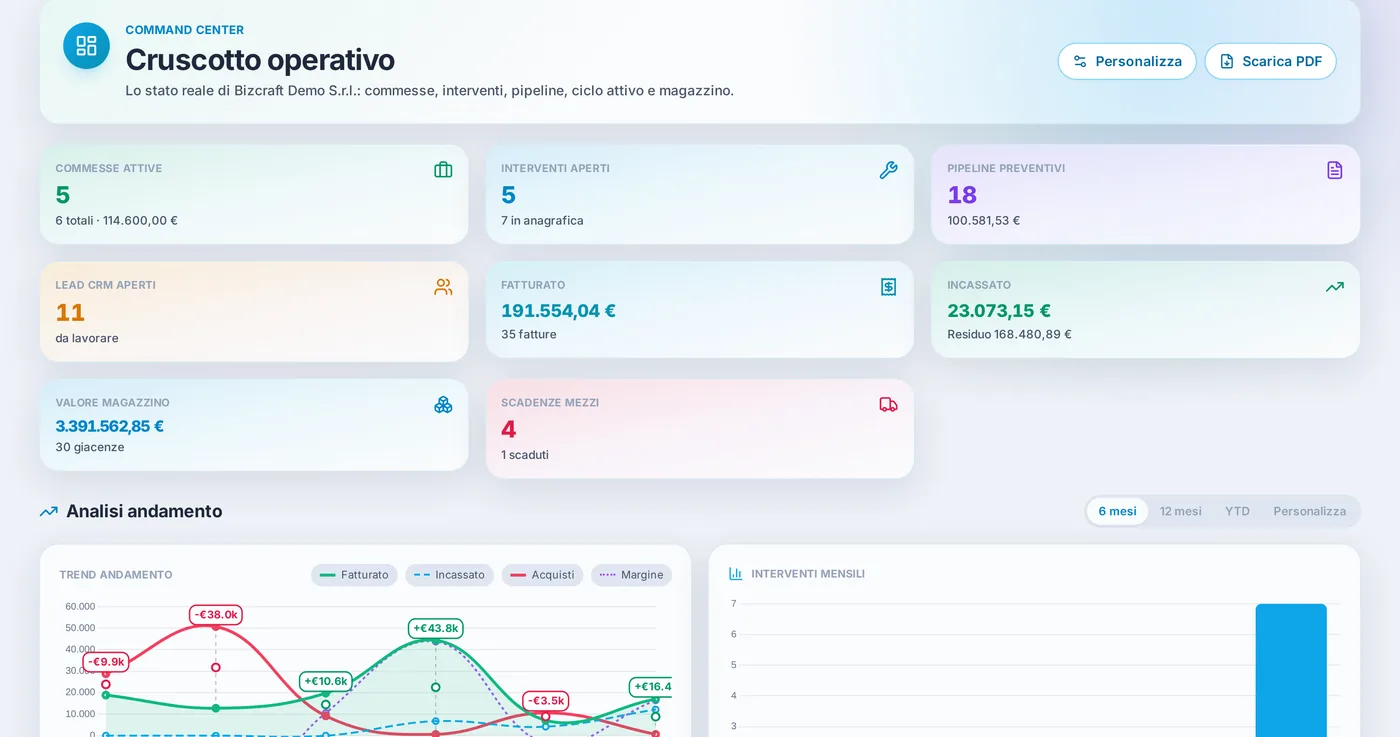
The operations dashboard: what you see the moment you log in.
No salesman lists what his product cannot do. We do, because it is the quickest way to show you that the rest is true.
It has been running for over a year in a company with several sites. The office, the warehouse and the engineers open it every day.
Not entries on a feature list: the pages you actually open, each one holding the work of a department. The public manual shows them all, with a picture of what you will see.
The list with balances, due dates and the status of each document
Every entry in debit and credit, the way your accountant wants it
The projected quarterly balance, before the deadline
Depreciable assets with the schedule and the instalments already worked out
Accruals and cash, settled and open, on the same screen
Stock levels over time, cross-cut by warehouse
Opportunities by stage and likelihood of closing
What is booked in and who is going
Real costs and margin, one job at a time
Roadworthiness tests, road tax and insurance renewals
The weekly grid of staff, day by day
Materials, services and labour in one place
Forty-five minutes, no commitment. If the program you already have is fine as it is, we will tell you.